 GlideMix
how-to · updated 17 Nov 2026
How to find songs that mix in key
Songs in fitting keys blend without clashing notes. Here is the rule, and where rekordbox, Traktor and GlideMix help you find the next song.
The rule in one minute
DJ apps write keys as a number from 1 to 12 and a letter: A for minor, B for major. From any key, four moves sound right:
- Same key (8A to 8A): always safe.
- One number up (8A to 9A): a lift in energy.
- One number down (8A to 7A): calmer.
- Same number, other letter (8A to 8B): the same notes, brighter or darker.
Try it on the key wheel: click a key and the four that fit stay lit.
rekordbox
In EXPORT mode.
- Show the Key column in the track list. To change how keys are written, open Preferences → View → Display Type → Key display format.
- Turn on the key highlight (the manual calls it Traffic Light): keys that fit the song on the selected deck are highlighted in the Key column.
- Or narrow the list: open the track filter left of the search box, tick KEY, and turn on MASTER PLAYER to use the key of the song that is playing.
- For a ready list, open RELATED TRACKS and use a condition with Key (and BPM). The songs are ranked by how well they fit the loaded song.
- KEY SYNC shifts a song's key to fit the other deck when two songs don't.
Traktor
In Traktor Pro.
- To see keys as numbers, open Preferences → Analyze Options and set the key display to Open Key. Open Key writes major keys with a d and minor keys with an m (1m, 1d).
- Show the Key column in the browser and sort by it.
- Open Key numbers start at a different place than the 8A style, so 8A in one is not 8m in the other. Compare the musical key (Am, C) when you move between them.
GlideMix
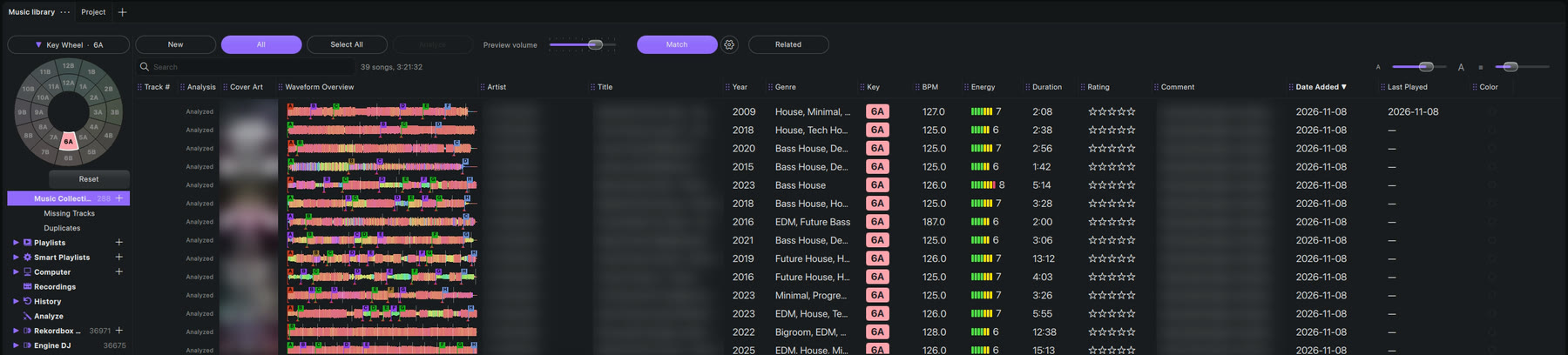
GlideMix shows every key as a coloured badge in the key wheel's colours, takes the keys your other apps or Mixed In Key already found, and can do the matching for you.
- Key wheel above the library: click a key and only songs in that key stay. Click more keys to add them; Reset shows everything.
- Search with key:8A, in any notation (8A, 1m or Am).
- Match lights the Key cell green on every song that mixes with the one under the playhead, and follows it as the mix plays.
- Related opens a tab of songs that go with the playing song: same key first, then the closest BPM. You choose the rules (key, BPM ± %, energy, genre and more).
- A Smart Playlist with the rule key mixes with fills itself with harmonic neighbours.
- Two songs still clash? Right-click one → Match key to the other, or turn on Match keys and every clashing song moves to a fitting key by itself (at most a semitone).
Where the steps come from
The steps for other apps follow their makers' own manuals and support pages. Menus can move between versions, so check your version if something looks different.