 GlideMix
how-to · updated 17 Nov 2026
How to play a mix live with a headphone cue
A prepared mix does not have to be a recording. In GlideMix you can play it to a room, listen ahead in your headphones, and still change it while it plays.
GlideMix
You need a sound card with four outputs: outputs 1–2 go to the room, 3–4 to your headphones. A DJ controller works as a sound card (its knobs and jog wheels aren't mapped).
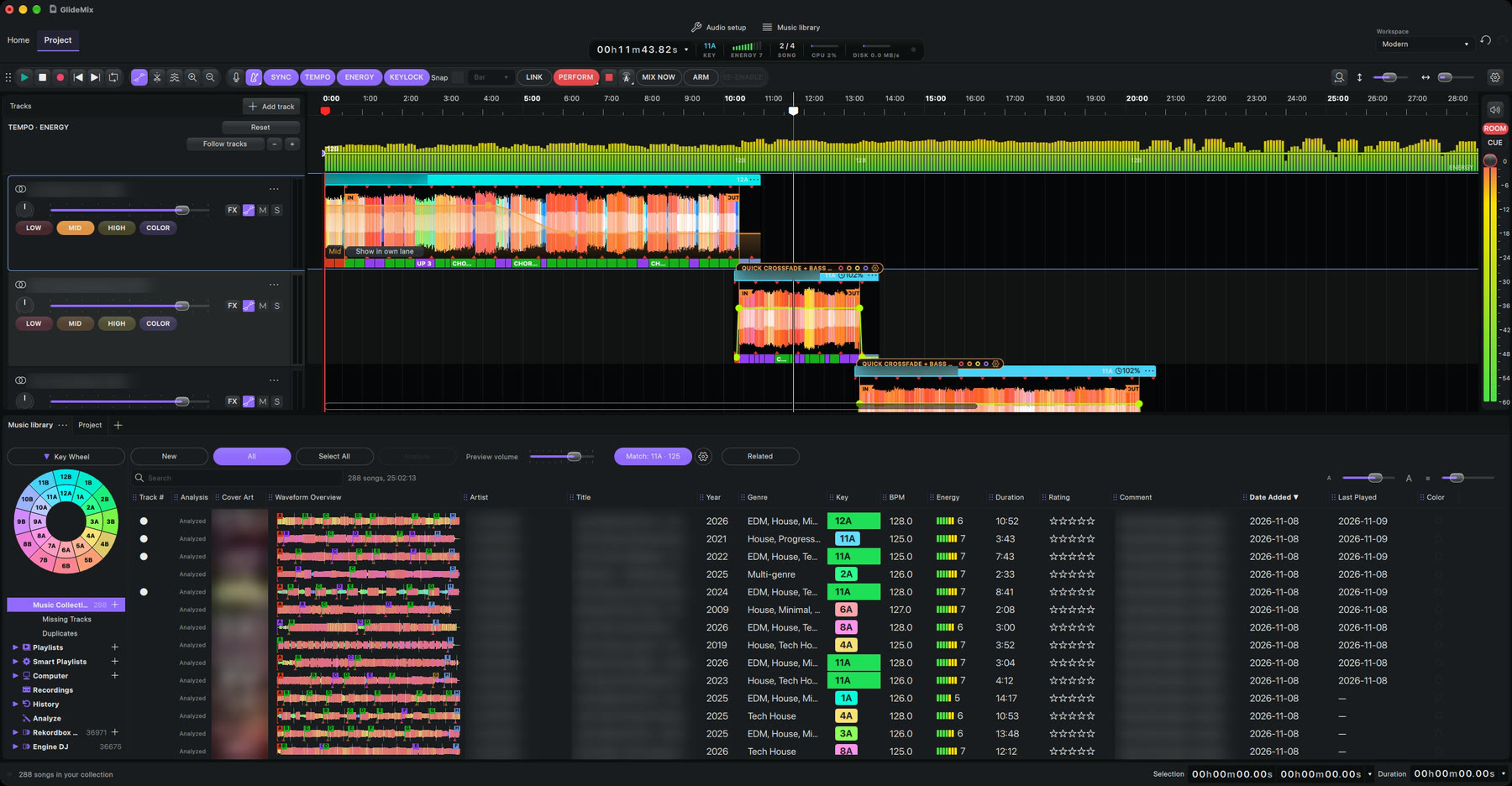
- Choose the sound card in Audio setup or Preferences → Audio settings, and set the headphone outputs under Headphone cue.
- Press PERFORM. The red playhead plays to the room.
- Click where you want to listen ahead and press Play: the white playhead is your cue, only you hear it.
- Keep editing while it plays: move songs, change a fade.
- Next song should come in sooner? Press MIX NOW. It is pulled forward to the next bar or phrase (Preferences → Transitions).
- ROOM and CUE have their own meters and levels.
Where the steps come from
The steps for other apps follow their makers' own manuals and support pages. Menus can move between versions, so check your version if something looks different.