 GlideMix
How to make a DJ mix on a timeline
On two decks a mix has to be played in one go. On a timeline you build it like a song in a DAW: place the songs, shape each blend, and change anything until it sounds right. Here is a whole mix in about ten minutes.
Decks or timeline?
DJ apps such as rekordbox, Serato and Traktor are made for playing live on two decks; to keep the mix you record it while you play. A timeline mixer works like the old MixMeister: the mix is a project you edit, so one wrong fade is fixed in a second instead of starting over. Both have their place: decks for the club, a timeline for mixtapes, radio shows and podcasts.
GlideMix
GlideMix beatmatches every song as it lands, so you spend the time on the blends, not on keeping songs in time.
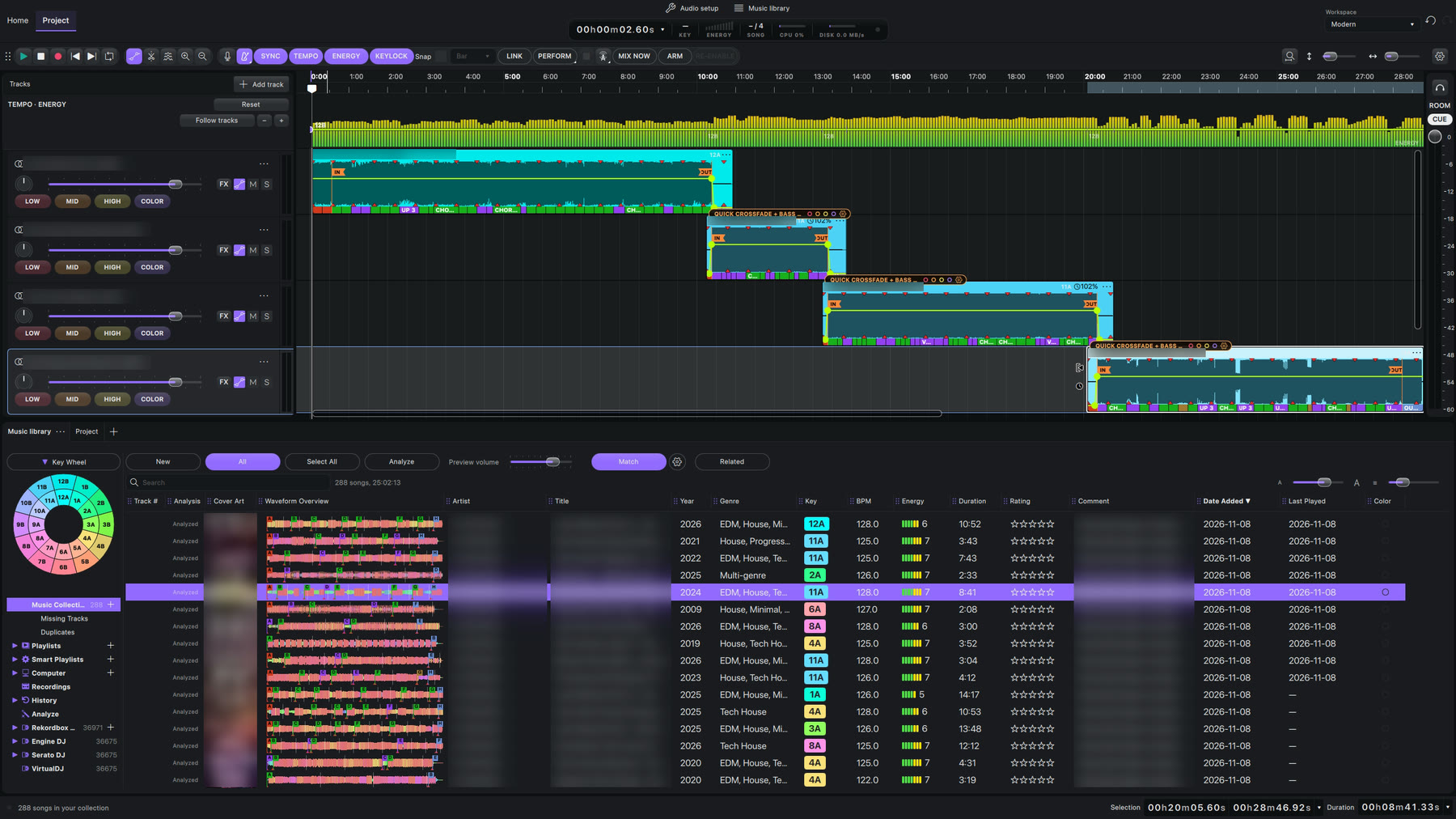
- Start a project: Home → Project → New (⌘/Ctrl + N).
- Add your music: click + next to Music Collection and choose a folder. Using rekordbox? Bring that library in instead.
- Analyse it: above the list click New, Select All, Analyze. About a second per song on a Mac.
- Double-click the first song. It lands on the timeline.
- Double-click the next one. It lands after the first, at the same tempo, on the bar, already blended in. A small pill (BEATMATCH or CROSSFADE) marks where they meet.
- Load many at once: click a song, Shift-click another, right-click → Load to → Project.
- Listen: click the ruler just before a pill and press Space.
- Change what you don't like: drag the IN or OUT marker, or click the pill's name for another transition. Every step can be undone.
- Save (⌘/Ctrl + S), then File → Export audio….
Where the steps come from
The steps for other apps follow their makers' own manuals and support pages. Menus can move between versions, so check your version if something looks different.